

Your agent writes it.
ShipIDE ships it.
A browser IDE built around one button. Bring Claude Code, Cursor or Codex, build in a real dev environment, get your client's sign-off and put it live, all from one tab.
Nothing to install · Free on every plan · Chrome, Edge and Firefox today, Safari soon
 Claude Code
 CursorCodex
 Windsurf
 VS Code agentsAny MCP client
From an idea to a live site,
without leaving the tab.
Most AI-built sites take a coding tool, a repo, a host, a DNS guide and an email thread to get live. ShipIDE is all of it, joined up.
- 01Start
 Astro
 Vite + React
 Plain HTML↓ Import from GitHub
A template, a GitHub repo or a blank page.
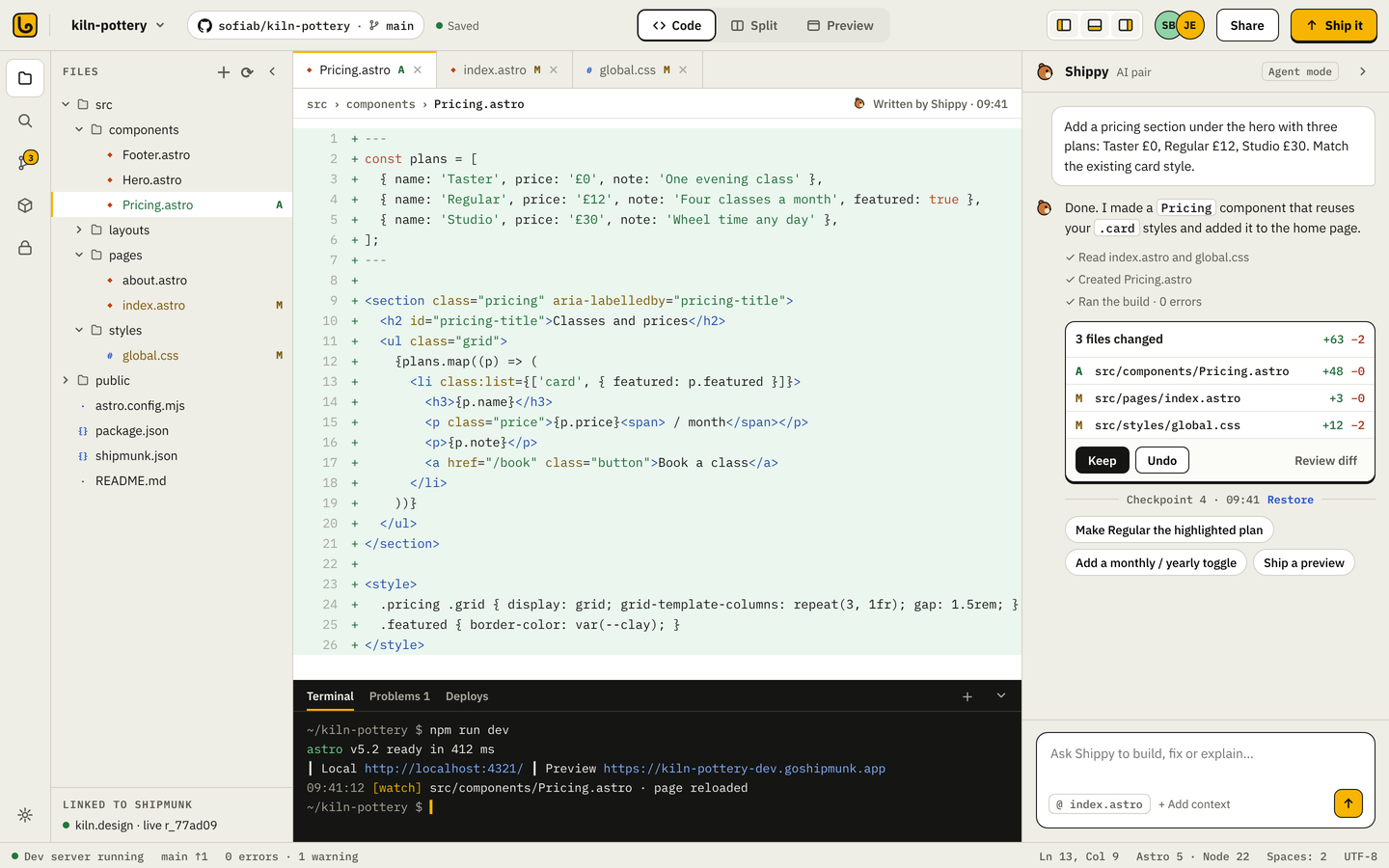
- 02Build$ npm run dev✓ ready in 412ms↻ hot reload · classes.astro
Your agent edits, a real dev server reloads as it goes.
- 03Previewr-91be42--kiln.shipmunk.site
Share a link to any change. Phone, tablet, desktop.
- 04FeedbackHannah (client)
Can the prices be bigger?12Clients pin comments. Your agent reads and fixes them.
- 05Ship it↑ Ship itLive at kiln.design
Checks, a release, your domain. Roll back in a click.
Use the AI you trust.
We give it a real place to work.
Your agent connects to your ShipIDE session over MCP and gets the same project, dev server and preview you see. Nothing to copy between windows.
Node in your browser.
Not a toy preview.
Your project runs in WebContainers, right in the tab: real npm, a real dev server, real hot reload. Nothing to install, and nothing running on our servers until you ship.
- A real terminalnpm, scripts and a dev server running in your browser tab. No container to wait for.
- Hot reloadThe preview updates as you or your agent save. Check phone, tablet and desktop sizes.
- Pick to editClick anything in the preview and jump to the line that made it. Or hand it to your agent.
- Builds before it shipsShip it runs your build first, using the same settings as the CLI (shipmunk.json).
Your client comments.
Your agent fixes it.
You ship it.
Comments from your client's portal arrive as tracked feedback your agent can read over MCP. It fixes them, ships a preview marked as the fix, and your client sees “Fixed, have a look”. No screenshots in email. No copy-paste into a chat.
- 01 · THE CLIENTPins a comment on the preview
- 02 · SHIPMUNKIt becomes a feedback item#12Prices bigger on phonesOpen#11Swap the hero photoFixed#9Booking button colourFixed
- 03 · YOUR AGENTReads it, fixes it, ships a preview› fix the open client feedback⏺ shipmunk_feedback → 1 open (#12)⏺ edit_file Prices.astro (font 15→19px)⏺ shipmunk_deploy_preview --fixes 12✓ r-a41c07--kiln.shipmunk.site#12 → “Fixed, have a look” sent to Hannah
shipmunk_feedbackshipmunk_deploy_previewshipmunk_statusshipmunk_rollbackRead the agent guide →One button.
A real release.
Ship it builds your site, runs the checks, makes a preview and puts it live on your domain. It's the same release the CLI makes, so rollback, domains and the client portal all just work.
- 1In ShipmunkStart here, keep it simple. Every save is a draft you can preview.
- 2On GitHubImport a repo or connect later. Ship it becomes Commit and push; branches get previews.
- 3Yours to takeConnect GitHub any time and your source goes with you. No lock-in.
Start from a template,
a repo or a hunch.
AstroVite + ReactPlain HTML Next.js
ShipIDE questions
Which agents work with ShipIDE?
Any agent that can use an MCP server: Claude Code, Cursor, Codex, Windsurf, VS Code agents and others. ShipIDE shows you the one command to connect it.
Do I pay extra for AI?
No. You use your own agent and your own subscription. ShipIDE is included in every Shipmunk plan.
Can my agent put things live without me?
No. Agents can edit, run commands and ship previews. Going live, pushing to GitHub and changing secrets always need your click.
Which browsers are supported?
Chrome, Edge and Firefox on desktop. Safari is coming: today it can edit and ship, but can't run the dev environment yet.
Does my client need ShipIDE?
No. Clients review in their own portal with a link. Nothing to install or sign up for.
Can I use ShipIDE with a site I deploy from the CLI?
Yes. It's the same project, the same releases and the same build settings (shipmunk.json).


Bring your agent.
Ship before lunch.
Free on every plan. Your first project takes about a minute to set up.
Can the prices be bigger? Hard to read on my phone.